Further to our previous post on Controlling Google 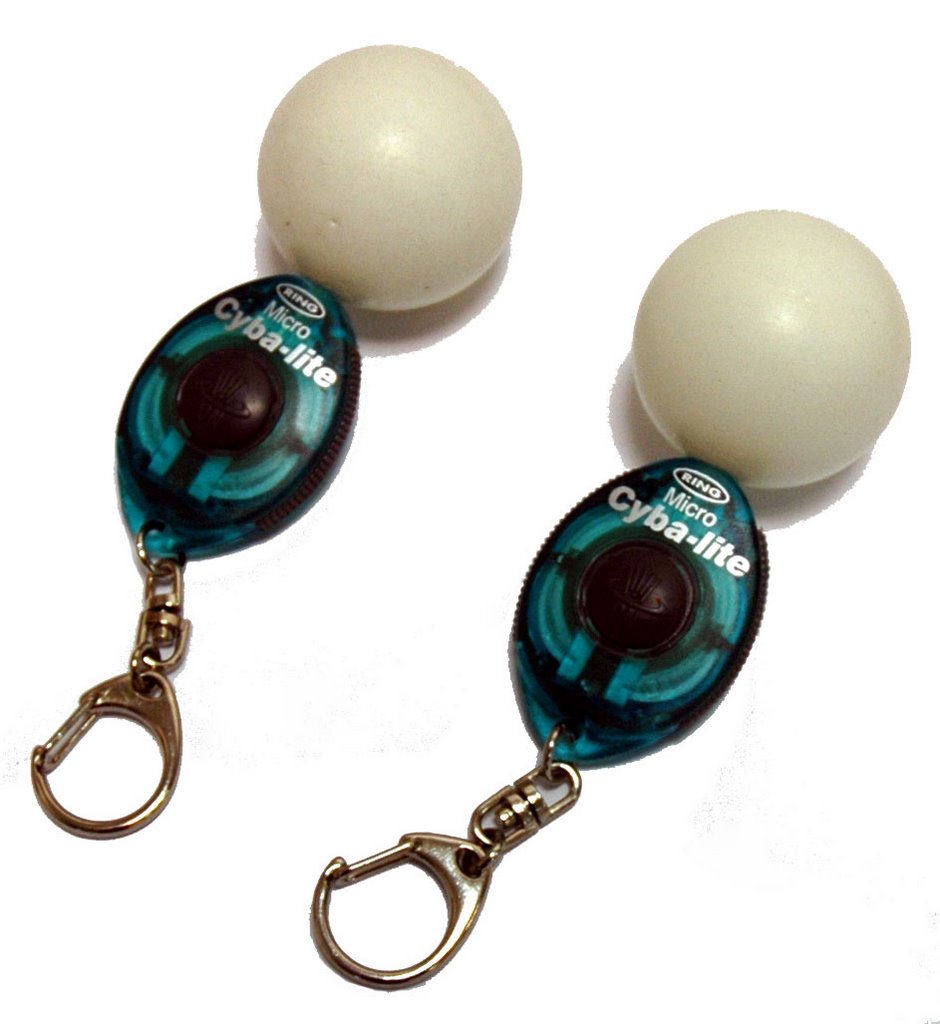 Earth ala Minority Report, thanks to the Atlas Gloves from was Dan Phiffer and Mushon Zer-Aviv, we decided to try them out for ourselves.
Using a pair of ping pong balls, that Joel our System Administrator found in a cupboard at home, a couple of led torches from down Tottenham Court Road and a touch of superglue we cobbled together our interpretation of the Atlas Glove controllers. (pictured right).
For our test we utilized a projector displaying Google Earth and the control software in a blacked out lecture theatre. This allowed a clear view of the lights which are turned on and off in combination with various hand gestures to remotely control Google Earth. The movie below demonstrates the trial, we were going to leave the movie audio free but couldn't resist dubbing in the The Sorcerer's Apprentice by Stokowski. The controller is Joel who quickly became a master of the technique.
Linking Google Earth to a remote vision based control interface is impressive and the fact it worked first time is testament to the teams clear instructions and software.
Of note to some users experiencing a 'Grey Screen' when loading the software, through trial and error we found that you also need to install WinVDIG version 1.1.1 (not the current 1.5 release). This enabled the control software to communicate with the webcam.
Google Earth Controlled via Atlas Gloves - Video Demo
Andy
CASA, UCL East
Recent
The Papers: The 2nd Album
Spatial Computing and the Phygital City: Towards Digital Habitation
Color Weather: A Data Watch Face for the Pebble Time 2
Fenland: A weeWX Dashboard with forecast verification, ensemble models, climate records back to 1940 and finally, that tween...
City Clock: A City where the People Tell the Time